
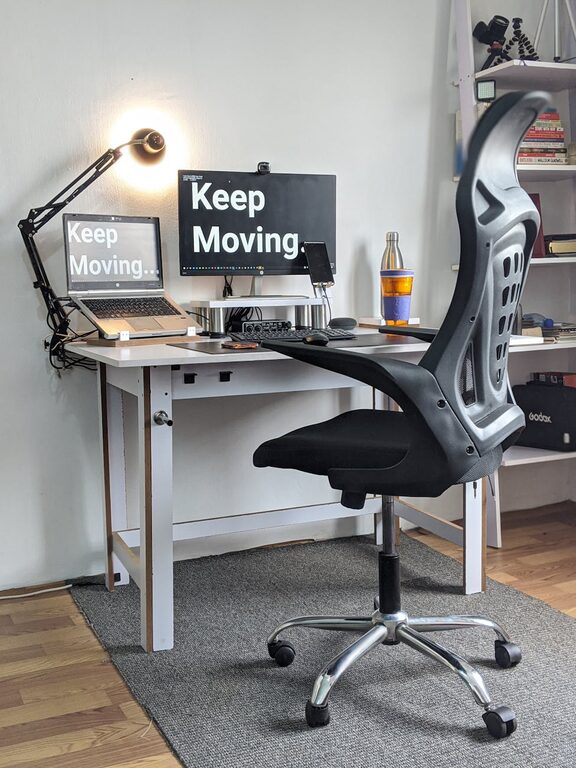
Creating a desk setup that promotes both focus and comfort can transform your workday. Whether you work from home, study, or spend long hours at a computer, a well-designed workspace helps maintain concentration and prevents discomfort. Here are practical tips to optimize your desk setup for better focus and comfort.
Understand the Basics of Ergonomics
Ergonomics is the science of designing your workspace to fit your body’s needs. Proper ergonomics reduce strain and fatigue, making it easier to concentrate.
Chair and Desk Height
– Chair Height: Adjust your chair so that your feet rest flat on the ground or on a footrest, and your knees are at approximately a 90-degree angle.
– Desk Height: Your desk should allow your forearms to rest comfortably parallel to the floor when typing or writing.
Monitor Position
Place your monitor about an arm’s length away, with the top of the screen at or slightly below eye level. This helps prevent neck strain from looking up or down.
Optimize Lighting for Reduced Eye Strain
Good lighting is essential to reduce eye fatigue and improve focus.
– Use natural light when possible by positioning your desk near a window.
– Add adjustable task lighting to illuminate your workspace evenly.
– Avoid glare by using blinds or curtains and placing monitors perpendicular to windows.
Declutter to Enhance Focus
A cluttered desk can distract your mind.
– Keep only essential items on your desk to minimize distractions.
– Use organizers, trays, and drawers to store supplies.
– Regularly clean and tidy your workspace to maintain order.
Use Comfortable and Supportive Accessories
Adding ergonomic accessories can significantly improve comfort.
– Keyboard and Mouse: Choose ergonomic versions that fit your hand comfortably.
– Wrist Support: Use wrist pads to reduce strain during typing.
– Footrest: If your feet don’t naturally reach the floor, a footrest provides support.
Personalize Your Workspace Mindfully
Personal touches can boost motivation, but keep them balanced.
– Add a small plant or artwork for a calming effect.
– Avoid overly stimulating decor that might distract.
– Use calming colors like soft blues or greens to create a peaceful atmosphere.
Incorporate Movement and Breaks
Sitting for long periods is tiring and unhealthy.
– Use a sit-stand desk if possible to change positions throughout the day.
– Set reminders to stand up, stretch, and move around every hour.
– Consider simple stretches to relieve muscle tension.
Manage Cables and Technology
An organized tech setup contributes to a clean and efficient workspace.
– Use cable clips or sleeves to keep cords tidy and out of the way.
– Position printers and other devices within easy reach but off the main workspace.
– Keep charging stations organized to avoid clutter.
Keep Essential Tools Within Reach
Having frequently used items nearby saves time and keeps your workflow smooth.
– Store pens, notebooks, and other supplies in desk organizers.
– Use shelves or drawers for books and documents you need often.
– Consider a whiteboard or corkboard nearby for quick notes and reminders.
Maintain Good Air Quality and Temperature
A comfortable environment supports focus.
– Ensure your workspace is well-ventilated.
– Use a small fan or heater to maintain a comfortable temperature.
– Introduce air-purifying plants if possible to improve air quality.
—
Creating a desk setup tailored to your comfort and focus doesn’t require an overhaul. Start with small changes like adjusting your chair height or decluttering your desk, and gradually incorporate more improvements. Over time, these adjustments can lead to increased productivity, reduced fatigue, and a more enjoyable workday. Happy setting up!